
Qury

Encoded Query Parameters Carrier

A URI data encoder built for privacy,
keeping URL query parameters hidden
while keeping data values accessible.

Start protecting your links data today. Get Your Free API Key

...
(de)cipher Query String

By clicking (DE)CIPHER NOW, you are agreeing to Qury's Terms of Service and Privacy Policy

Works with all URL Shorteners

Bitly
Ow.ly
Rebrandly
ClickMeter

The URL encoder you've always needed

Simple privacy-focused links - Share links without displaying or storing any personal data within your data processors.

1. Add URL parameters to your link

Nothing's changed, add the parameters in your link as you always do.

2. Cipher your link with Qury

Use Qury API or Qury free singular cipher to encode your URL's query string and hide sensitive data.
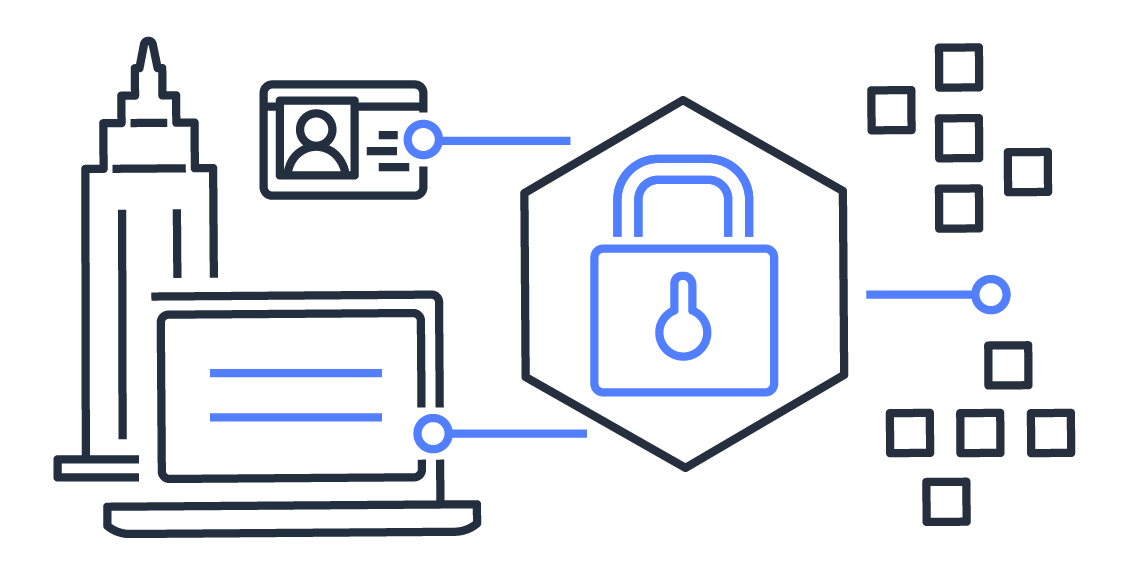
3. Share your link & fetch hidden data

Retrive data passed in your parameters while ensuring its privacy.

...

Track. Encode. Fetch.

Here's why
people love Qury

  • Data Privacy

    Your traffic data stays within your website. No personal information is collected. We only cloak your URL, 100% of it is your data as it should be.

  • Accessible Parameters

    We believe that URL parameters shouldn't compromise a visitor’s personal information. We hide that data while still making it accessible.

  • Personalizable Content

    Using Qury API you'll be able to access ciphered data in the URL parameters to personalize and adapt your website or landing page content.

  • Simple API

    Easily cipher your link with Qury API to you it as you'd like and Qury will reveal the contained data in the URL while preserving keeping it hidden.

...

Analytics

Tracking data works like before, it may only ciphered.

Get Your Free API Key
...

Share

Share your Qury'd link like any other link.

Get Your Free API Key
...

Integrations

Use it with any platform like a normal link.

Get Your Free API Key
...

Branding

Keep your link branded, while hiding sensitive data.

Get Your Free API Key

Qury API

By using the Qury API, you will protect sensitive data at scale while still being able to access it as well as tracking it in your analytics platform like any other link.


<html>
    <head>
        ...
    </head>
    <body>
        ...
        <!-- Qury -->
        <script type="text/javascript">
            // Qury JavaScript code goes here before the end of the of the body tag
            (function() { var script = document.createElement("script"); script.setAttribute("src", "https://qury.stream/api/api.js?v=MS4wLjA"); script.setAttribute("async", "true"); document.body.appendChild(script); })();
                function exec() {
                    // ACTIONS GOES HERE (see Qury Actions for more details)
                    action("QURY FUNCTION", "ATTRIBUTE", VALUE);
                    // EXCHANGES GOES HERE (see Qury Exchanges for more details)
                    exchange("QURY FUNCTION", "ATTRIBUTE", VALUE, OPTION);
                }
                // API KEY GOES HERE
                apiKey = "ENTER YOUR API KEY HERE";
                // IGNORED PARAMETERS GOES HERE (see Qury Exchanges for more details)
                ignoreParam = "yourParam1,yourParam2";
            });
        </script>
        <!-- End Qury -->
    </body>
</html>
                                    

// ACTIONS - Each action must be placed INSIDE the EXEC() function
// action("QURY FUNCTION", "HTML ID ATTRIBUTE", VALUE); // Action format

// editText - Change the text content inside of the specified HTML element ID
action("editText", "name", firstName); // firstName is be a parameter in the URL
action("editText", "location", "city"); // Visitor IP based location 
// You can use "city" for the city, "state_prov" for the state or province
// and "country_name" for the country as it is already included in Qury API

// editHTML - Change the HTML code inside of the specified HTML element ID
action("editHTML", "location", "New York");

// editImage - Change the image source of the specified HTML element ID
action("editImage", "imageID", "http://imageURL.com/source.jpg");

// editURL - Change the hyperlink reference of the specified HTML element ID
action("editURL", "location", "city");

// editValue - Change the HTML tag value of the specified HTML element ID
action("editValue", "location", "city");

// editClass - Change the HTML tag class of the specified HTML element ID
action("editClass", "location", "city");
                                    

// WEBHOOK - Send specific parameters to a webhook
exchange("webhook", "http://webhook.url", "all"); // all - Send all parameters in plain text
exchange("webhook", "http://webhook.url", "only", "fullName,email,businessPhone"); // see below
// only - Send only specified parameters in plain text

// GOOGLE ANALYTICS - gtag.js must be configured to send events with gaTracking
// gaTracking - Send a Google Analytics event with the parameters in the URL
exchange("gaTracking", "event", "encoded"); // encoded - Send ciphered data
exchange("gaTracking", "event", "exposed"); // exposed - Send plain text data
exchange("gaTracking", "event", "except", "lastName,email,businessPhone"); // see below
// except - Send plain text data except specified parameter(s)

// UTM Parameters - All UTM parameters are left in plan text

// IGNORE PARAMETERS - Must be placed OUTSIDE the EXEC() function
// ignoreParam - Leaves selected parameters in plan text
ignoreParam = "yourParam1,yourParam2"; // Enter each parameters to KEEP in PLAIN TEXT
                                    

// Coming soon ...
                                    

Frequent questions

Not sure how Qury works? Wondering why you should use Qury?

Here are the answers to some of the most common questions we hear from our appreciated customers

There is multiple use cases. One of the main usage is to hide any sensitive in the parameters that you are passing in your URL, such as email, full name, or any other data, so your data processor, Google Analytics in most cases, won't store it plain, which help you to be more compliant with laws like GDPR.

As you can pass many data in the URL such as image source, document links, first name, or other relevant information, Qury can help you use that data to personalize the experience of your visitor without displaying in plain text withing the URL.

With Qury, using the actions, you can easily use these passed information to change the content of the web page such as text, image, design or else.
Since Qury can help you hide parameters data that is visible in the URL, and that data processor such Google Analytics are storing the visited URL with its parameters, it would mean that you would allow it to store that data in plain text into your data processor, which makes it not GDPR compliant.

Using Qury, you can cipher parameters data to protect private data that data processors are storing. And, by using Qury API, you can still access that information, stored in JavaScript variables.
Within Qury, UTM codes are NOT ciphered, and are left in plain text. This way, data processors, such as Google Analytics, can process any information contained within your UTM codes.

On the other hand, if there are some parameters that you want to leave in plain text, you can use to ignore specific parameters to so they can be visible in the URL and directly accessible without using Qury API and its JavaScript variables.
Absolutely. Yes, if use Google Analytics with gtag.js configured, you can simply use Qury built-in tracking action for this data processor and depending on which data you want to have in plain text or not, it'll send separate events for all your parameters.

Ready to get started?

Generate your API Key for free now

Get Your Free API Key